PHOTO + WORDS · NEW LOOK
AI image editor that keeps the person recognizable
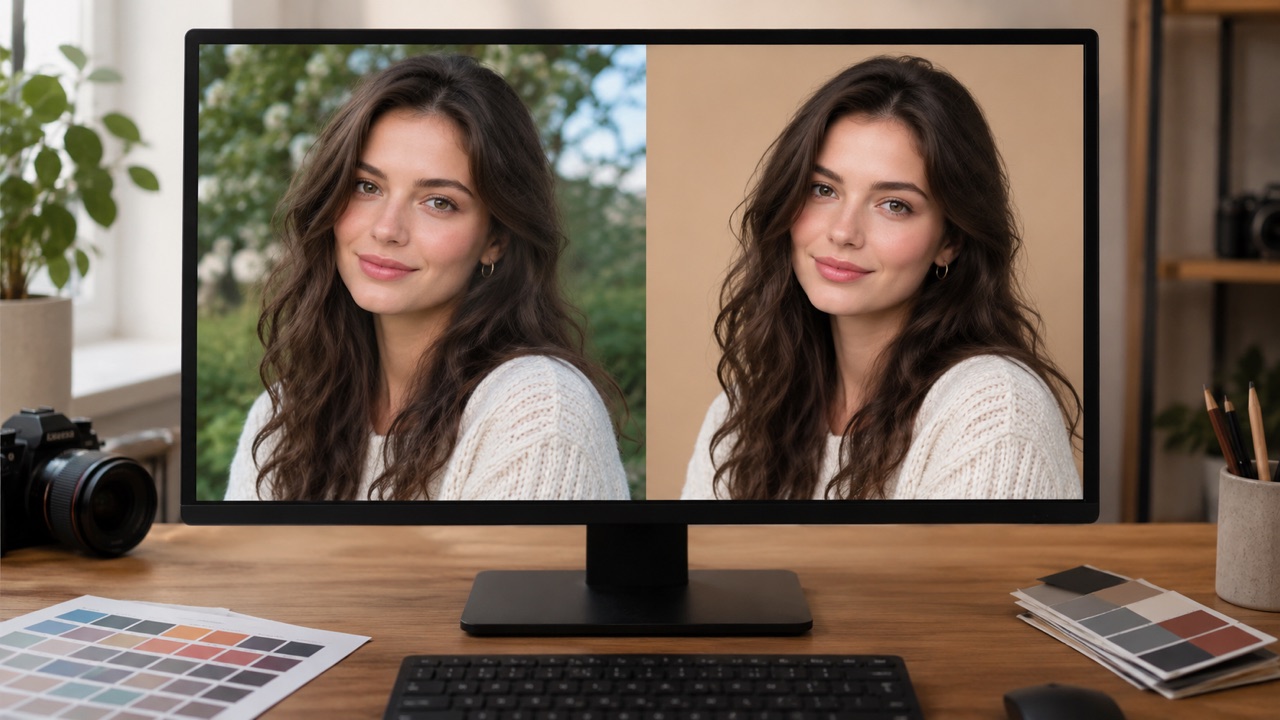
This editor is for changes that would normally need a retoucher: a cleaner background, a different outfit, warmer light. Upload one photo, describe what should change and what must stay the same, and generate a new version without drawing a single mask.
Signed-in accounts get 3 free images a day. One purchase raises it to 10.
Edit a photo
Say what changes and what must stay the same.
0/600
Style presets
Aspect ratio
Sign in to generate. Your first 3 images each day are free.
Your result appears here
Add a photo or a prompt, then press Generate image.
How it works
Upload the original
Use a sharp JPG, PNG or WebP up to 10 MB. A clear face and simple background give the editor more room to work.
Describe the edit
Be specific: replace the background with a grey studio wall, change the jacket to black, add warm sunset light. Add “keep the face and pose unchanged”.
Review and download
Generate, compare the face and details, and download the PNG. If the identity drifted, retry with a shorter, clearer instruction.
Best for
- Cleaning up a profile photo background
- Trying an outfit or colour before a shoot
- Relighting a product or portrait shot
Good to know
- !It is a generative edit, not a pixel-perfect retoucher.
- !One source image per job; collages and text-heavy images are harder.
Adults only. Use photos you have permission to use. No nudity, violence or impersonation. AI results vary. Label AI-generated media when a platform requires it.
Prompt ideas
Use these as a starting point, then adjust the details.
“Replace the background with a warm neutral studio, keep the face and pose”
“Change the jacket to black, keep everything else the same”
“Add golden-hour light from the left, realistic skin texture”
Questions, answered
Will it keep my face the same?
The prompt should explicitly say to preserve the face, identity, pose and body proportions. The model aims to follow that, but generative edits can still shift small details.
Can it remove an object?
Yes, describe the object and what should replace it. Large removals are harder than small distractions, and complex backgrounds may need a retry.
Can it add text or a logo?
Small text often comes out malformed. Add headlines, prices and logos in a design tool after downloading the image.
How many edits can I make?
Signed-in accounts get three free images per UTC day; a completed purchase raises the limit to ten. Each generated image counts once.
What happens to my uploaded photo?
It is stored privately for seven days so the job can retry, then deleted. It is not published in a gallery.
Related tools
All tools
Edit a photo
Say what changes and what must stay the same.