PROMPTS THAT DO A JOB
Halloween AI prompts: The Complete 2026 Guide
Copy Halloween AI prompts for costumes, portraits, pets, couples and short videos. Each recipe explains what to keep and what to change.
This guide walks through the look, the prompt, the honest limits and the exact credit rules. Use the studio below to test the idea with one clear adult portrait, then compare the result with the static reference.
What you get from this page
- Job: what is the output?
- Invariants: what must not change?
- Change: costume, hair, background, light.
- Style: photo, editorial, cinematic, candid.
- Avoid: extra people, distorted hands, text, logos.
Overview
A useful Halloween prompt is a short production brief. It says what to preserve, what to change, where the light comes from and what to avoid. This page collects recipes for portraits, pets, couples and short videos, with a plain-English note on what each one is trying to achieve.
The recipes are original and brand-neutral. They do not ask for a licensed character or a real celebrity. You can copy them into the Bulin 47 AI studio, adjust one detail and run a new version.
Try this look with your own photo
This is the working studio, not a mock-up. Upload one adult portrait, add the look direction and review the result before you pay to unlock the clean MP4.
Make your Bulin 47 AI video
One photo puts your chosen adult into an original freestyle scene.
JPG, PNG or WebP · up to 10 MB · adults only
Choose one clear, well-lit adult portrait. A front-facing face and visible outfit help keep the result consistent.
Extra direction (optional)
Public is the default. Reviewed finished results may appear in examples. Your uploaded photo stays private.
$9.90/ 1 video
50 credits to unlock · 8 secondsSign in to check your balance · This video needs 50 credits
You need 50 more credits
1 video · $9.90 covers this video
Better value: 3 videos · $19.90 ($6.63 per video)
Upload one portrait to continue.
A new personal video requires at least 50 valid credits before generation.
Your videos
Upload a portrait above. After a paid generation, your watermarked previews and unlocked clips appear here.
Copy-ready prompt recipes
Each recipe is a starting point. Change one detail at a time and keep the identity constraints in place. The video prompts describe motion; the still-image prompts describe a look.
Portrait: moonlit garden
A moody portrait that still reads as the same person.
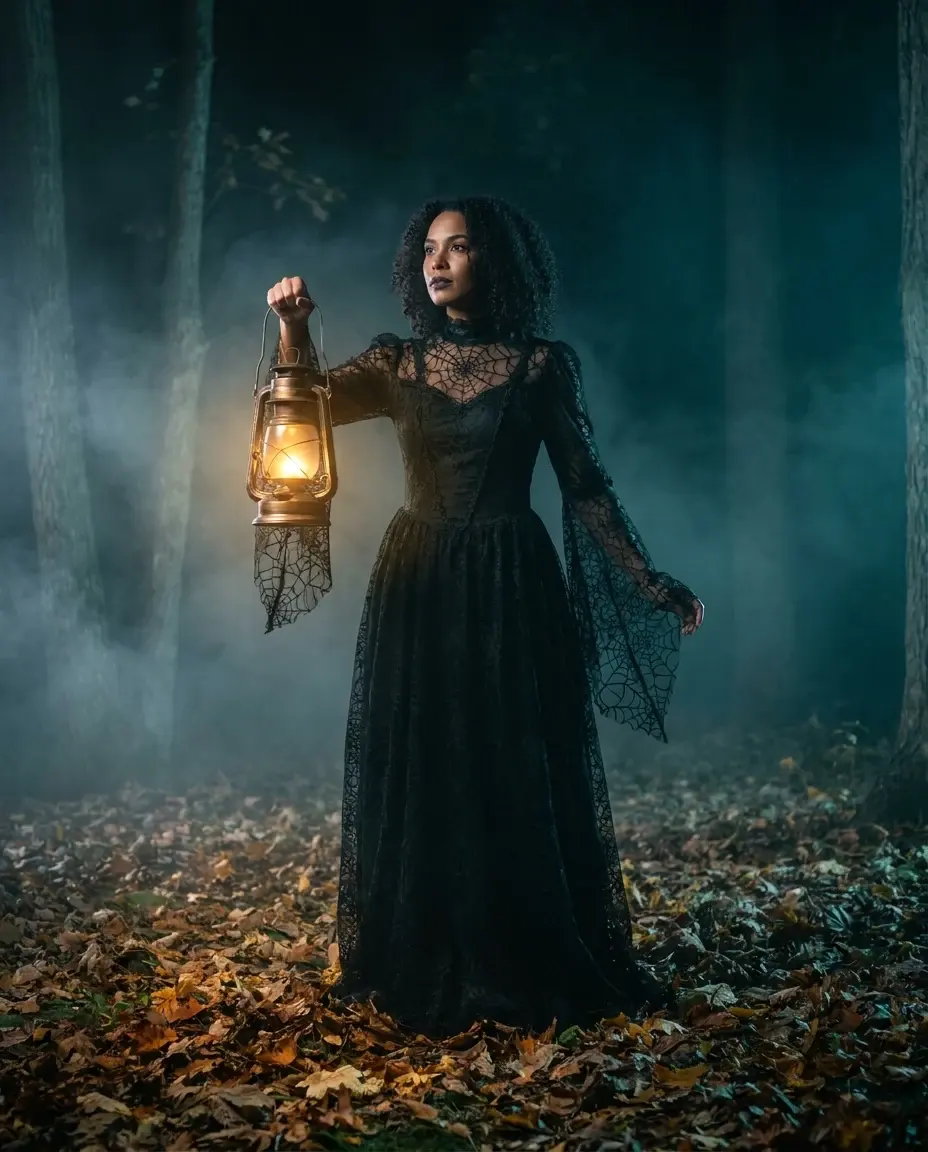
Edit the uploaded portrait into a moonlit Victorian garden, preserve face, skin tone and body proportions, thin fog, warm lantern key light, cool rim light, realistic fabric, no extra people, no text.
Pet: pumpkin costume
A pet portrait that keeps the animal recognizable.
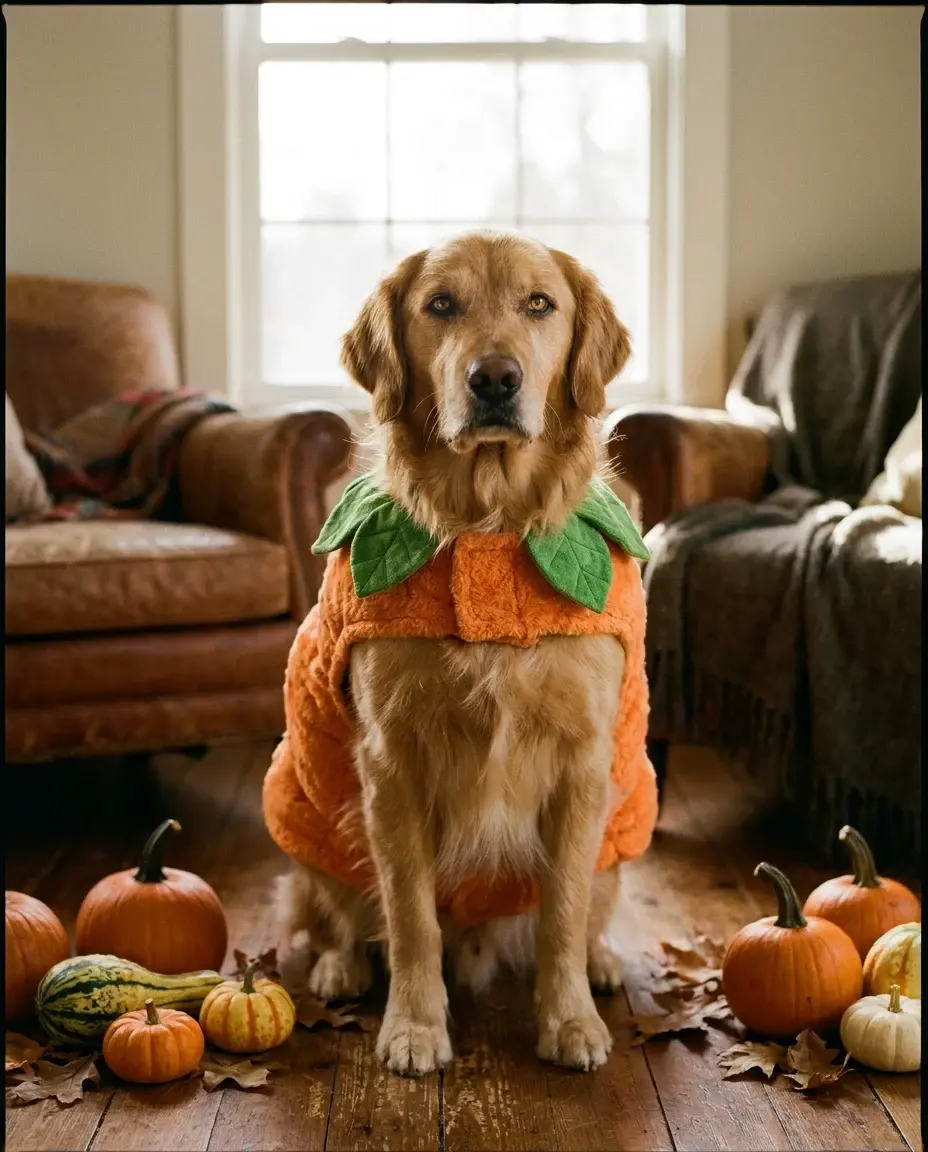
Use the uploaded pet photo as reference, preserve breed, fur color, markings and eye color, dress the pet in a soft pumpkin costume with a green leaf, cozy autumn studio, realistic fur, no extra animals.
Video: slow turn
A controlled 8-second motion clip.
Use the image as the starting frame, subject slowly turns toward camera, hair moves gently, fog drifts, camera pushes in slowly, stable anatomy, consistent costume and lighting, no cuts, no text.
The five parts of a reliable prompt
Start with the job: portrait, pet photo, couple photo or video. Then lock the invariants: face, skin tone, age, body proportions and the number of people. After that, describe the change: hair, costume, background and light. Finish with the negative constraints: no extra limbs, no text, no logos, no identity change.
If a result looks wrong, change one part. Most failures come from asking for too many changes at once. A prompt that fixes the light and the costume in one pass is harder to control than two smaller passes.
- Job: what is the output?
- Invariants: what must not change?
- Change: costume, hair, background, light.
- Style: photo, editorial, cinematic, candid.
- Avoid: extra people, distorted hands, text, logos.
How to use these prompts in the studio
Pick the recipe closest to the look you want. Copy the prompt into the direction field in the studio, upload one clear photo of a consenting adult and review the preview. If the preview is close but not right, change the background or the light first, not the face.
For a still image, use the prompt in your preferred image editor. For a short video, use the studio on this page. The video prompt should describe motion, not a new costume. Keep the costume and identity stable while the camera and background move.
Credits, pricing and delivery
A new personal video requires at least 50 valid credits before generation. Unlocking the clean MP4 uses 50 credits. One-time pack credits never expire; subscription credits expire at the end of the billing period.
One-time packs start at $9.90 for one video, $19.90 for three and $29.90 for five. A monthly plan is $24.90 and a yearly plan is $249. Prices are in USD and taxes are shown at checkout. A failed generation does not consume unlock credits.
Model and provider notes
The public video studio uses KIE with bytedance/seedance-2 Standard. Moderation uses SeeAPI. The concept images on this page were generated with KIE nano-banana-pro. WaveSpeed, fal and Replicate adapters exist in the codebase but are not enabled for this public studio unless configured.
Questions people ask before they try it
Can I copy these prompts for other tools?
Yes. They are written to be portable. Keep the structure and adjust the model-specific settings such as aspect ratio or resolution.
Why do my prompts produce extra people?
Add a direct constraint: keep the same number of people as the uploaded photo, no extra people. Also avoid prompts that describe a crowd or a scene with unnamed characters.
Can I use a prompt for a licensed character?
Do not ask for a direct copy of a licensed character or a real person. Describe an original costume, silhouette and palette instead.
Do prompts work for video?
Video prompts should focus on motion, camera movement and atmosphere. Keep the identity and costume stable, and avoid asking for a scene change in the middle of a short clip.
AI-generated examples. Results vary with the photo, prompt and model. Not affiliated with any film, game, music label or costume brand.